Mailbox configuration guide
Please select mail prorgams:
Configure mail for MS Outlook:
1. Open the Microsoft Outlook program
2. If you have another account, go to "File" -> "Add Account". Otherwise, you will be taken to the next step
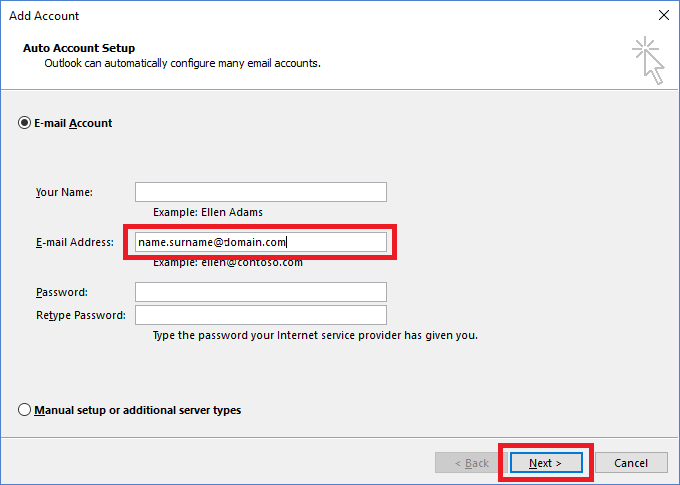
3. Enter a name in the "Email Address" field (name.surname@domain.com) and click "Next"
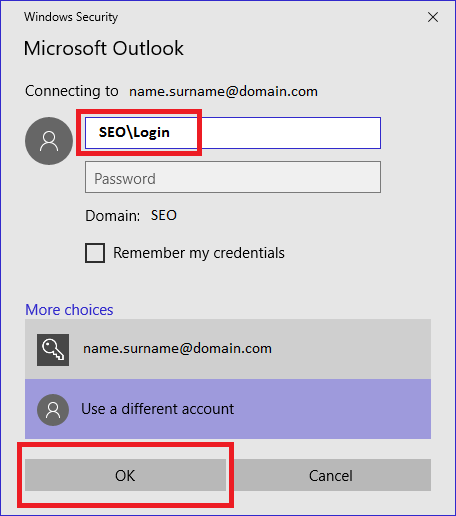
4. Enter your domain credentials (with seo\login) and click on "OK"
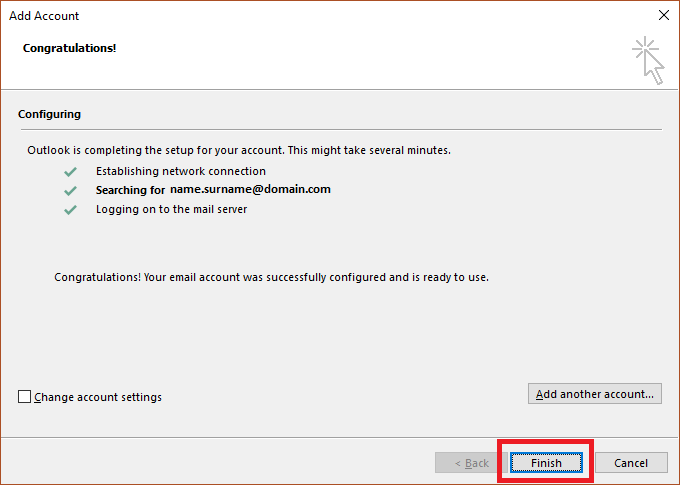
5. After verifying your user name and password, click "Finish"
Configure mail on Android devices:
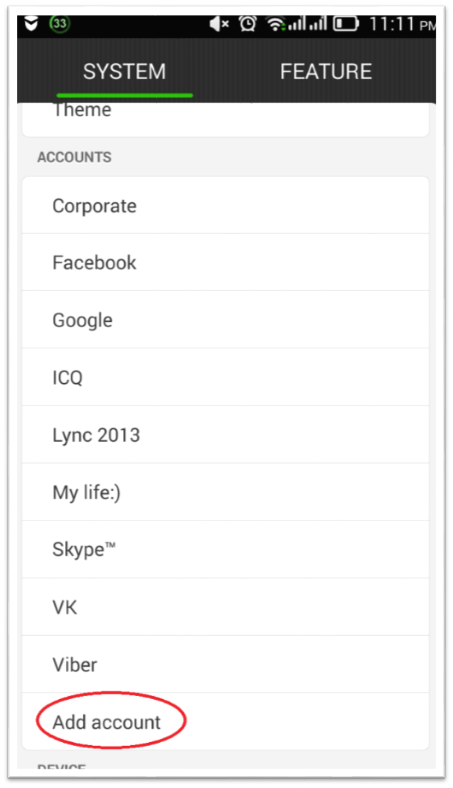
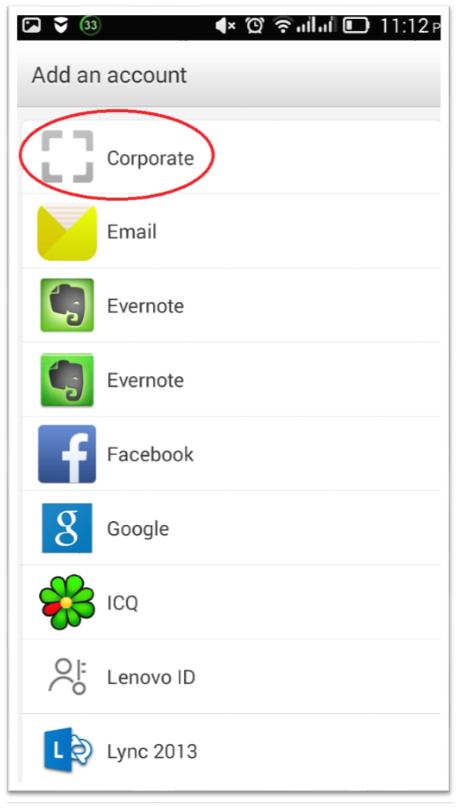
1. Open "setup" menu on your device and tap the "Add account" button:
2. Tap the "Corporate" (may be called the "Microsoft Exchange ActiveSync" depending on Android version) button
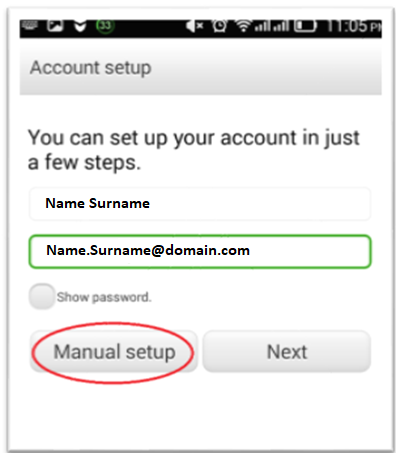
3. Enter your e-mail address and password into the form shown below and tap the "Manual setup" button
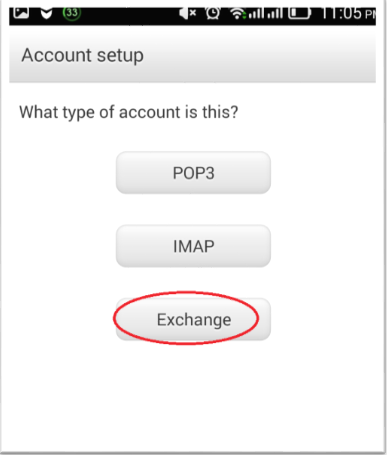
4. Tap the "Exchange" button
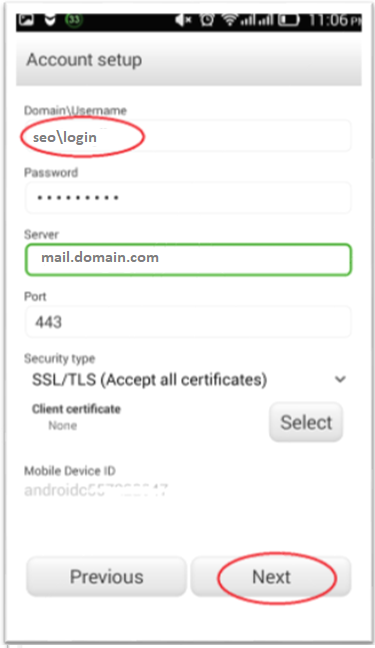
5. Enter domain credentials (with seo\) and "mail.domain.com" into the form shown below, then tap the "Next" button
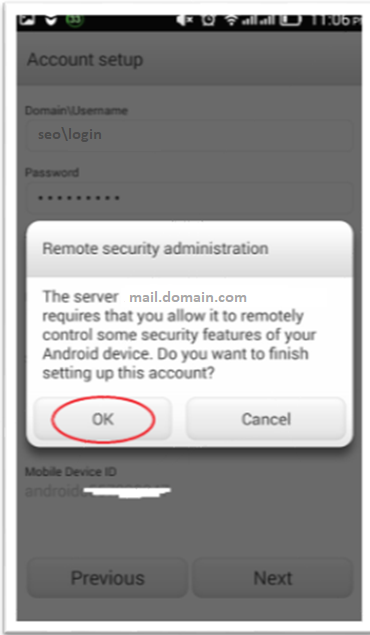
6. If this message appears, tap the "Ok" button
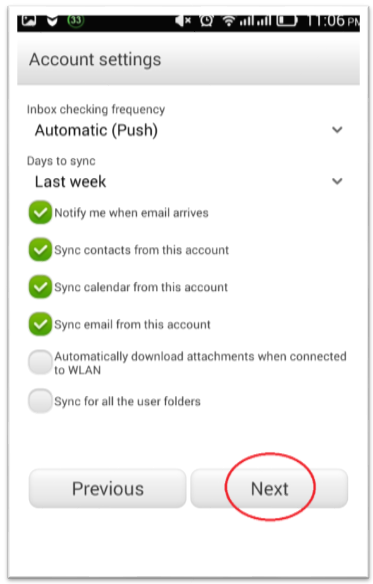
7. Check the desired items and tap the "Next" button
8. Input the name for mailbox
9. Setup is finished
Configure mail on iOS devices
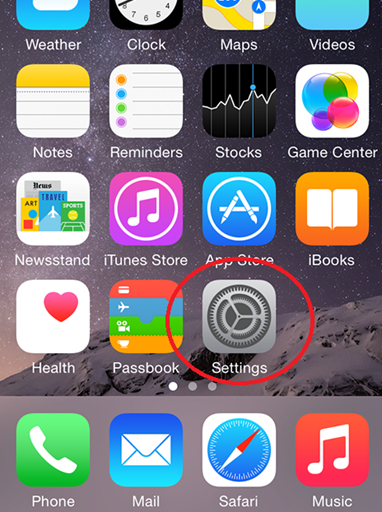
1. Tap "Settings"
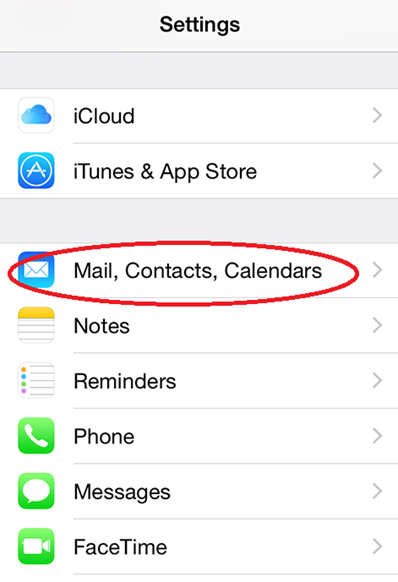
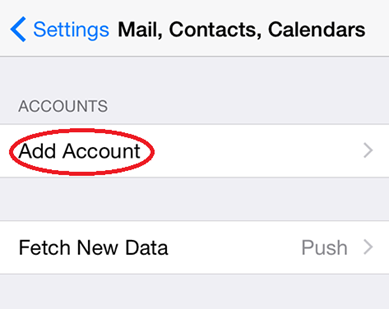
2. Scroll down and tap Mail, Contacts, Calendars
3. Tap "Add Account"
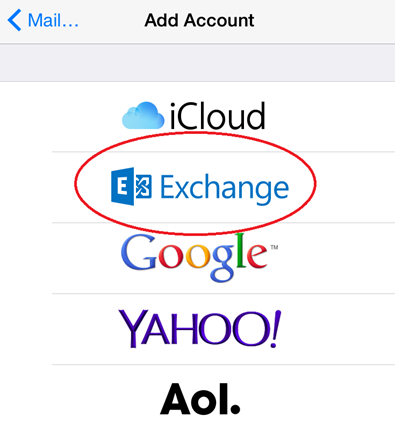
4. Select "Exchange"
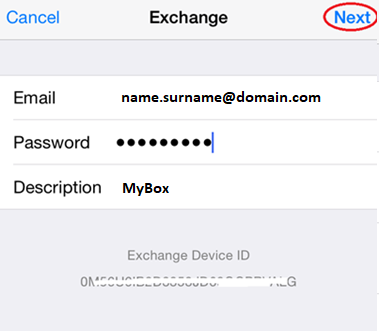
5. Enter your email address, password, mail description and tap Next
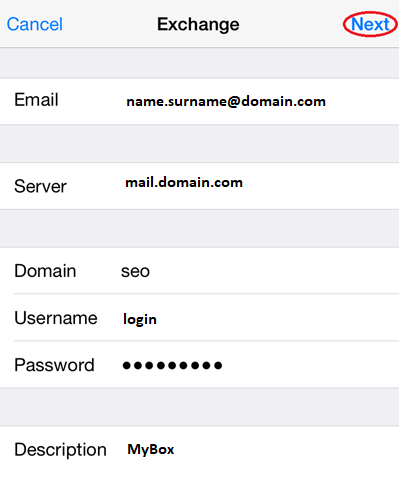
6. Enter "mail.domain.com" into the Server field, "seo" into Domail field and your credentials (without "seo\" ). Tap Next
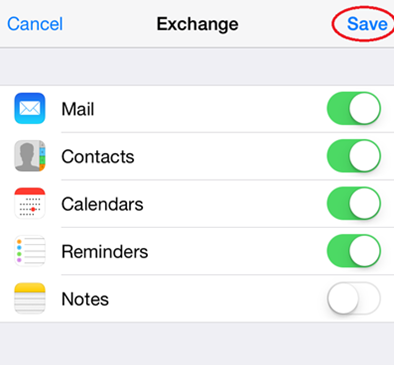
7. Tap "Save"
Configure MS Office 201X for Mac
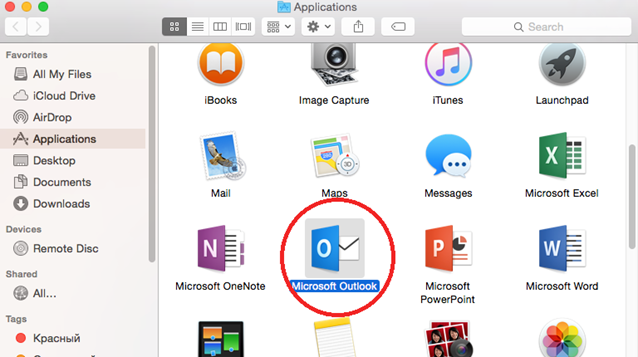
1. Launch program "Microsoft Outlook"
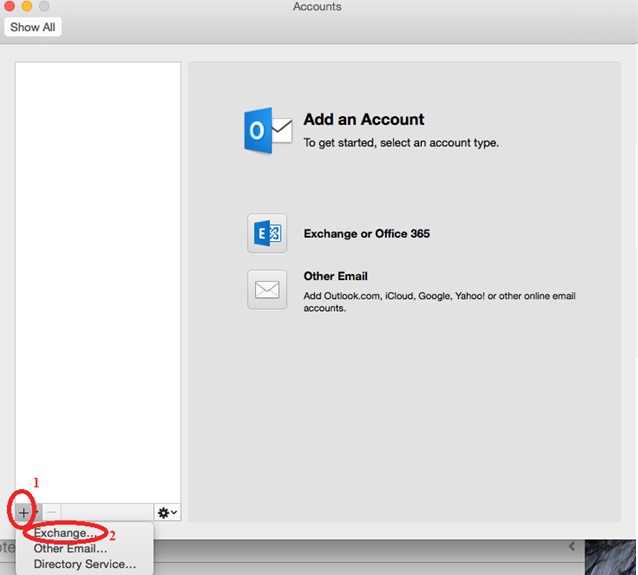
2. After first launch add new account (as show in 1) than choose "Exchange" (as show in 2)
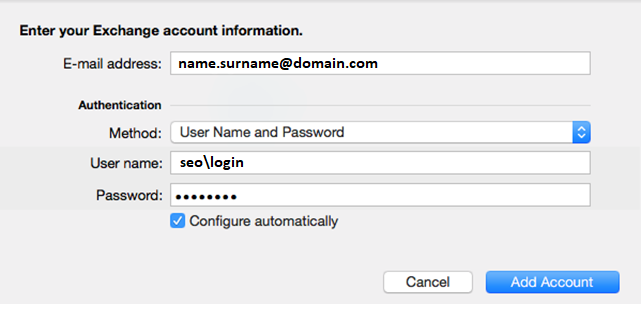
3. Enter your credentials in appropriate fields and Click "Add Account"
Generic mail configuration
User Information
Your name: Name Surname or Nick Name
E-mail address: name.surname@domain.com
Server Information
Mail server: mail.domain.com
Service: Exchange ActiveSync Compatible Service
Logon Information
Domain: seo
Your name: Your login
Password: Your password
 MS Outlook
 Android Mail
 iOS Mail
 Outlook for Mac
 Generic mail configuration